
Keep your workshop under control. In season and out.
From online booking through order management to invoicing and the customer's next visit. Care.bike connects your whole service process in one system, saves admin work and helps you give customers better service.
Orders on paper, appointments in a calendar, communication in email and customer history in yet other systems? Care.bike connects your whole service process in one place.
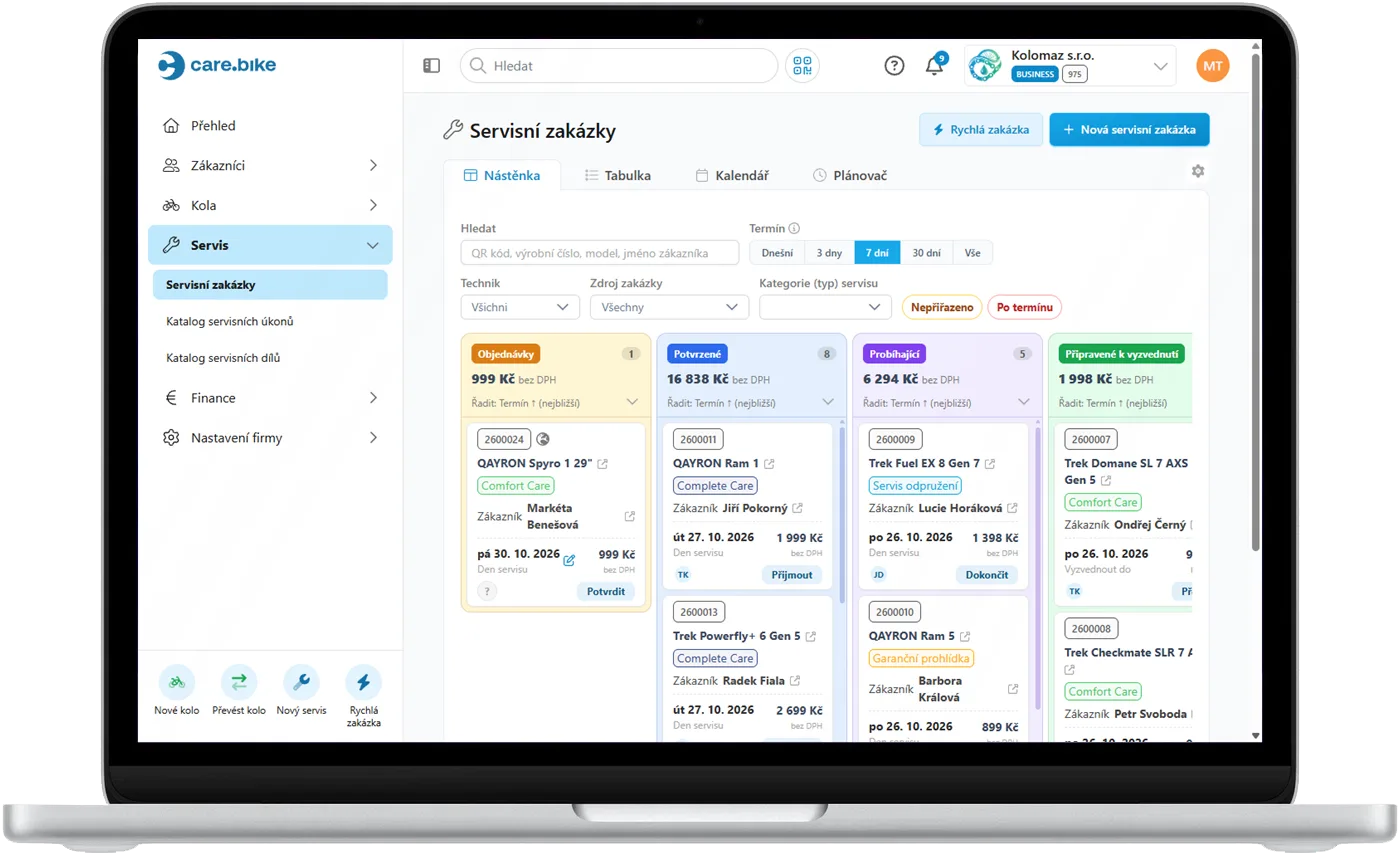
You know what is being worked on, which orders are in progress and which are ready for handover.
Bookings follow your free capacity, so you don't get overbooked in season or promise what you can't deliver.
Customers receive service updates automatically and can see the order status online.
When you close an order, the invoice is generated automatically and sent to your connected accounting.
Online booking
The customer chooses the service tasks and a slot based on your offer and capacity.
Bike intake and a new order
Information about the customer, the bike and the requested work is all in one place.
Work and communication
You record the work done, follow the order status and the customer receives regular updates.
Completion and billing
You close the order and the invoice is generated automatically.
Accounting and stock connection
The invoice is sent to your connected accounting system and the parts used are automatically deducted from stock in your connected ERP. No double entry.
Service history and the next visit
The work done is saved to the digital service book and you remind the customer of the next recommended service.
Work comfortably on a phone, a tablet or a rugged handheld terminal (PDA).
Working with a service order is designed for mobile devices. You record bike details, service progress and the work done right at the repair stand, without going back to the computer for every change. A rugged handheld terminal with a physical keyboard makes work easier in the demanding workshop environment.

A good customer experience doesn't end with handing over the repaired bike. Care.bike helps you build a long-term relationship through transparent communication and a digital service history.
They know when to come, what's happening with the bike, when it will be ready and what the service will cost.
Service work is recorded in the digital service book and stays part of the bike's history.
By recording faults and recommended tasks, you can offer the customer a more complete service in a single visit. You know what needs doing, and the customer better understands the scope of the work.
Recommended tasks and service history stay saved with each bike. You know whose next service is coming up and which customers you can reach out to again. So you can actively plan further visits and use your workshop capacity better all year round.
After the service, the customer is invited to leave a rating. Reviews appear on your profile on the Care.bike Service Map, you can add them to your company website, and you always have them right at the order in the portal.
The customer zone and customer messages carry your logo and name, even on your own domain.
Care.bike helps you take bookings from existing customers and make your services visible to those still looking for a workshop.
You can start using Care.bike without lengthy setup. After signing up you get a ready-made environment that you can tailor to your business.
Create your company
Enter your company ID number and the company details fill in automatically. Signing up is free and needs no credit card.
Start with a ready-made system
You get a default catalogue of service tasks, a price list, online booking and content for your company website. Nothing has to be built from scratch, but you can adjust everything.
A guide shows you the way
After signing up, a guide walks you through the setup and your first steps. Help is also available right in each part of the app whenever you need it.
You can create your first service order today.
Care.bike adapts to the size of your business. It helps a solo mechanic in a small workshop as well as a larger service with several staff and multiple locations.
Start simply and use more options as your business grows.
What happens when the 30-day trial ends?
Your company moves to the free Start plan and nothing is deleted. Only the features Start doesn't include are paused. Ordering a plan brings them back immediately.
Do I have to set everything up from scratch?
No. After signing up you have a ready-made catalogue of service tasks, a price list, online booking and company website content, and you can adjust all of it. Customers, bikes and your task catalogue can be imported from Excel or CSV.
Can I connect Care.bike to my accounting?
Yes. Pohoda, Abra and Money connect right away, and we can connect other systems individually.
Can I work with orders right in the workshop?
Yes. Working with an order is designed for phones, tablets and rugged handheld terminals (PDA), so you manage it right at the repair stand.
Does the customer need an account or an app?
No. They receive bike status updates by email or text message with a link to the order, where they can download documents and rate the service. With a free account they also get the bike's service book and can book online in a few clicks.
How do I get onto the Care.bike Service Map?
You switch it on in the portal. Your workshop appears on the map automatically once it meets the publishing conditions, and the portal shows you what's still missing. You only pay on completed orders from the network.

Your workshop can run more simply. Try it.
Start using Care.bike without lengthy setup. Get an overview of your orders, simplify communication and give customers a better service experience.